Prop Trading on TradingView Without MetaTrader: How It Works

Can you trade at a prop firm without MetaTrader? Yes. MetaTrader was the prop trading standard for years because the industry grew out of forex and borrowed its terminals from brokers. Today, some prop firms run on other platforms, including terminals built on TradingView. For a trader, the difference shows up in three places: where you analyze the chart and place orders, how you automate your trading, and how much your access to the terminal depends on someone else's license. Upscale doesn't use MetaTrader. You trade in a TradingView-based terminal that opens in your browser and in Telegram, so there is nothing to install. Instead of MQL Expert Advisors, Upscale offers algorithmic trading through the API Trading option. Below we cover why prop trading relied on MetaTrader, how a TradingView-based terminal works, and what to keep in mind when you switch.
If you are new to the model, start with What Is Prop Trading. For trading a prop account from your phone, see our guide to mobile prop trading.
Why prop trading grew up on MetaTrader
MetaTrader is developed by MetaQuotes, a company founded in 2000. The fourth version of the platform came out in July 2005 and the fifth in 2010, according to the company. Over those years, MetaTrader became the default terminal for forex brokers: a broker buys a license, runs its own server and hands clients a ready-made app.
Online prop firms emerged in the same environment. Many of them did not build their own trading infrastructure. Instead, they plugged into a broker that already worked with MetaTrader. The firm got a ready-made terminal, and traders got a familiar interface and Expert Advisors, MetaQuotes' term for trading robots that analyze quotes and place trades on their own. They are written in MQL4 and MQL5.
What changed in 2024
In February 2024, the model broke down. As Finance Magnates reported, brokers that supplied MetaTrader 5 to prop firms began refusing to serve them. The main reason was that these firms worked with US clients. One prop firm lost MT5 access without warning, and others had to scramble for a new broker. According to the same outlet, in 2024 MetaQuotes restricted access for firms without direct agreements with it and for firms in jurisdictions with regulatory concerns.
The practical takeaway for traders is simple. A trading platform is not just an interface; it is also a dependency. If a prop firm runs on someone else's license through an intermediary, its access to the terminal can change regardless of what the firm wants. That is why more and more firms are moving to other solutions. Some connect alternative terminals, while others build their own platforms.
TradingView vs MetaTrader: what's the difference

TradingView did not start as a broker terminal. It started as a charting and analysis platform. According to the company, more than 100 million traders and investors use it. Exchanges, brokers and trading platforms embed TradingView charts in their own products, and its charting library is used by more than 40,000 companies.
| Feature | MetaTrader 4/5 | TradingView-based terminal |
|---|---|---|
| Origin | terminal for forex brokers | charting and technical analysis platform |
| Access | broker app under a MetaQuotes license | depends on the platform; often in the browser, no installation |
| Charts | MetaTrader's built-in charts and indicators | TradingView charts, where many traders already do their analysis |
| Automation | MQL4/MQL5 Expert Advisors inside the terminal | depends on the platform, for example via API |
| Who controls access | MetaQuotes and the licensed broker | the platform that embedded the charts |
For a prop trader, the key difference is not the charts but how everything around them works. In MetaTrader, analysis, orders and Expert Advisors live in one broker app. In a TradingView-based terminal, the charts and analysis tools come from TradingView, while the orders, account rules and automation are built by the prop platform itself. So the real question is not TradingView vs MetaTrader but what a specific firm's terminal can do: which orders it offers, where its prices come from, whether it works on a phone and how you connect a bot.
Why traders choose TradingView
For many traders, TradingView is their main analysis tool. They mark up levels and build trade ideas on TradingView charts, then switch to their broker's MetaTrader to place trades. When the trading terminal is built on the same charts, there is no need to jump between two programs: analysis and execution happen in one window.
The second reason is accessibility. A browser-based terminal does not need to be downloaded or updated, and it opens the same way on any operating system. For traders who work from several devices or locations, that removes an extra step.
How trading on Upscale works without MetaTrader
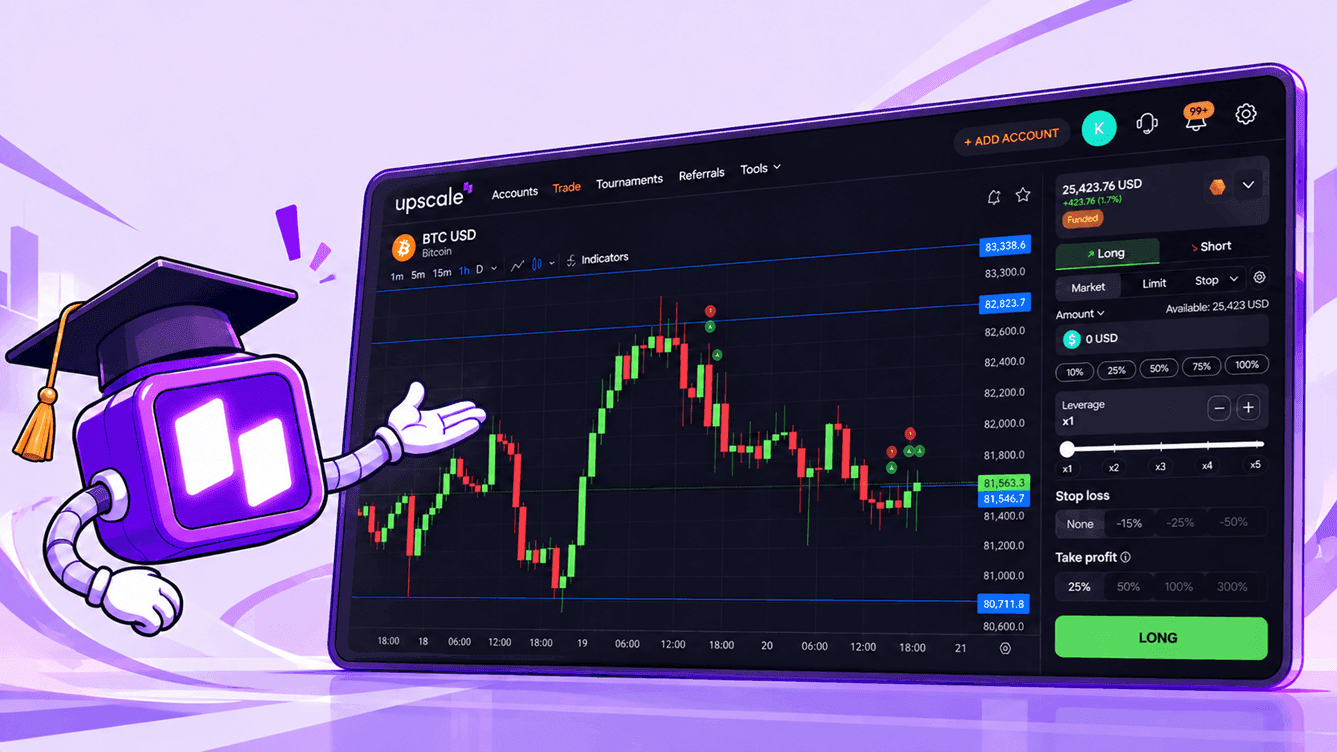
Upscale was built from day one without MetaTrader and without a forex broker behind it. You trade in a TradingView-based terminal. It is available on the web at upscale.trade and in Telegram via @upscaletradebot, with the same set of features in both. There is nothing to install: you sign in with Telegram, Google or a crypto wallet, and once you pay for a challenge, the account appears in the app right away.
Prices in the terminal do not come from a single broker. Crypto, forex, gold and silver prices come from the Stork and Pyth Network oracles, while 24/7 stocks, WTI crude, natural gas, copper and indices are priced by Upscale's proprietary Upscale Price Index. You see a single price calculated from data across several major venues. We explain why this matters for a prop account in Why Your Stop-Loss Triggered at the Wrong Price, and all sources are listed on the Price Oracles page.
What the terminal offers
In addition to market orders, the terminal supports six order types:
| Order | What it's for |
|---|---|
| Stop Loss | limit the loss on an open position |
| Take Profit | lock in profit at a set level |
| Limit | enter at a price you choose in advance |
| Stop Limit | enter after a breakout, but at no worse than the limit price |
| Stop Market | enter once the trigger price is reached |
| Trailing Stop | trail the price at a set offset in percent or dollars |
You can set Stop Loss and Take Profit right when you open a position or add them later in the orders section. Execution details for each type are on the Order Types page.
Beyond orders, the terminal has a few features that are especially useful on a prop account:
- Trade markers on the chart. Position opens, increases, closes and liquidations are marked on the candle where they happened, so your trade history is visible right on the price chart.
- Events calendar. For each trading pair, you can view market hours and upcoming events, such as dividend payments or US macro data releases. The platform applies some restrictions around these events automatically.
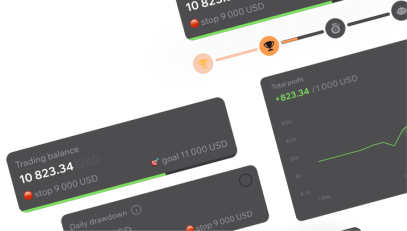
- Account dashboard. Your current balance, stop level, profit target and challenge progress are all in the Accounts section.
Automated trading without Expert Advisors
MetaTrader Expert Advisors will not run on Upscale, but algorithmic trading is possible through the API Trading option. It gives you programmatic access to a specific challenge account, so you can connect a trading bot, your own scripts or analytics tools. The developer documentation includes ready-to-run examples in JavaScript and Python.
The option comes with conditions worth knowing in advance:
- it is available on accounts of $10,000 and up and can be enabled any time before the account moves to the funded stage;
- once it is on, the 60-second profit adjustment and the 30% rule apply to the whole account, covering both API and manual trades;
- the option cannot be turned off after activation;
- on a demo account, you can enable it when creating the challenge and test your bot risk-free.
If you trade manually, you don't need the option. To learn more about how it works, read API Trading on Upscale and the documentation page.
What to keep in mind when switching from MetaTrader
MetaTrader habits don't always carry over directly. Here is what traders most often need to adjust:
- Position size is not measured in lots. You size a position either by collateral amount in dollars plus your chosen leverage, or by asset volume, such as
. Position size equals collateral times leverage: with $500 of collateral and x5 leverage, that's $2,500. The minimum position size is $10.0.1 BTC - The trading day runs on UTC. Daily drawdown and profit days are counted from 00:00 UTC, not from the broker server time many traders are used to in MetaTrader.
- Stop execution depends on the market. For crypto, Stop Loss fills at the trigger price, while on forex, commodities, indices and 24/7 stocks it executes at market, so slippage is possible.
- Leverage is set by asset category. For example, on the Basic and Accelerated challenges it is x5 for crypto and x100 for forex, while on Turbo accounts it is x2 and x30, respectively.
- Expert Advisors need to be rewritten. Existing MQL code cannot be plugged in, so you will need to move your strategy logic into a script that works through the API.
The easiest way to get comfortable is a free demo account. It uses real quotes, fees, spreads and funding rates, and its stages and limits mirror a paid challenge.
How to choose a prop firm by its trading platform
The platform shapes how you trade every day, so check it before you buy a challenge. Here is what to check:
- Who provides access to the terminal? The firm's own platform, or a license through an intermediary that can be revoked.
- Where do prices come from? A single quote provider, or aggregated data from several sources.
- Which orders are available? Are there trailing stops and stop entry orders, and can you set a stop right when you open a position?
- Can you trade from your phone? A full terminal on mobile, or only a view of your positions.
- How do you connect a bot? Is there an API, and what extra rules apply to such an account?
- Can you try it for free? A demo account with the same quotes and the same rules answers most questions before you pay.
Other things to check when vetting a prop firm, such as payout rules, transparency and reputation, are covered in How to Check if a Prop Firm Is a Scam.
Prop trading grew up on MetaTrader because the industry came out of forex and relied on broker infrastructure. That setup is convenient, but it makes access to the terminal depend on a MetaQuotes license and an intermediary, as the 2024 restrictions showed. That is why some prop firms have moved to other platforms, including terminals built on TradingView.
The comparison that matters is not TradingView vs MetaTrader but the firm's specific terminal: where its prices come from, which orders it offers, whether it works on a phone and how you connect a bot. On Upscale, you trade in a TradingView-based terminal in the browser and in Telegram, prices come from oracle data and the Upscale Price Index, and algorithmic trading is available through the API Trading option.
When switching from MetaTrader, the key steps are to move from lot-based sizing to collateral and leverage, keep in mind that the trading day runs on UTC, and rewrite your Expert Advisors for the API. You can learn the terminal and test your strategy under the new conditions on a free demo account before buying a challenge.
Start now: 👉 Upscale.trade | Telegram Bot
Follow us: 📺 YouTube | 𝕏 Twitter
Community: 💬 Telegram chat | 🎮 Discord
Can you trade at a prop firm without MetaTrader?
Yes. MetaTrader was the standard for a long time, but some prop firms run on other platforms, including TradingView-based terminals and in-house solutions. When it comes to passing a challenge, the account rules and execution quality matter more than which terminal you use.
Does Upscale offer MetaTrader 4 or MetaTrader 5?
No. On Upscale, you trade in a TradingView-based terminal. It works on the web and in Telegram with the same set of features, and there is no separate program to install.
How is a TradingView-based terminal different from MetaTrader?
MetaTrader is a forex broker terminal where analysis, orders and Expert Advisors live in one app under a MetaQuotes license. In a TradingView-based terminal, the charts and analysis tools come from TradingView, while orders, account rules and automation are built by the platform itself. So the feature set depends on the specific prop firm.
Can I run a MetaTrader Expert Advisor on Upscale?
No. MQL4 and MQL5 Expert Advisors only run inside MetaTrader. For algorithmic trading, Upscale offers the API Trading option, which lets you connect a bot or your own scripts. Once the option is on, the 60-second profit adjustment and the 30% rule apply to the entire account, including manual trades.
Which order types are available in the Upscale terminal?
In addition to market orders, you can use Stop Loss, Take Profit, Limit, Stop Limit, Stop Market and Trailing Stop. Stop Loss and Take Profit can be set right when you open a position, and Trailing Stop is configured with an offset in percent or dollars.
Can I trade on Upscale from my phone?
Yes. The terminal is available in the Telegram app with the same features as the web version, from buying a challenge to managing positions.
How do I switch from MetaTrader without losing a challenge to an unfamiliar interface?
Start with a free demo account: it uses real quotes and costs, and its stages and limits mirror a paid challenge. Learn in advance how position size is set through collateral and leverage, and keep in mind that the trading day runs on UTC.